
Receivers in Cesbo Alta
Esta página aún no está disponible en tu idioma.
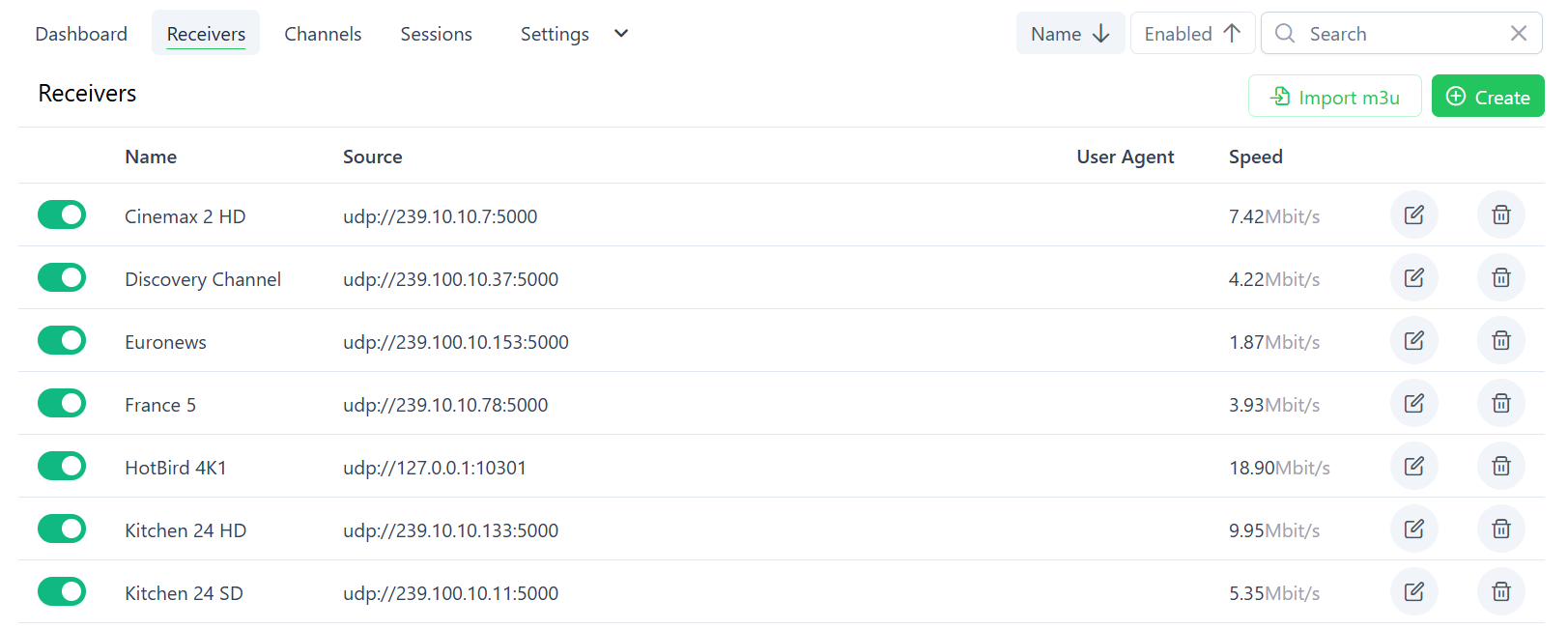
The Receivers section in Alta allows managing input streams (e.g., UDP, RTP, RTSP) that are ingested by the HLS server.
Supported protocols include:
Section titled “Supported protocols include:”- UDP / RTP
- HLS / HTTP MPEG-TS
- RTSP
Receiver List
Section titled “Receiver List”- Enabled: Toggle stream on/off
- Name: Descriptive label
- Source: Input stream URL
- Speed: Current throughput (Mbit/s)
- Actions: Edit or Delete
Import Receivers via M3U
Section titled “Import Receivers via M3U”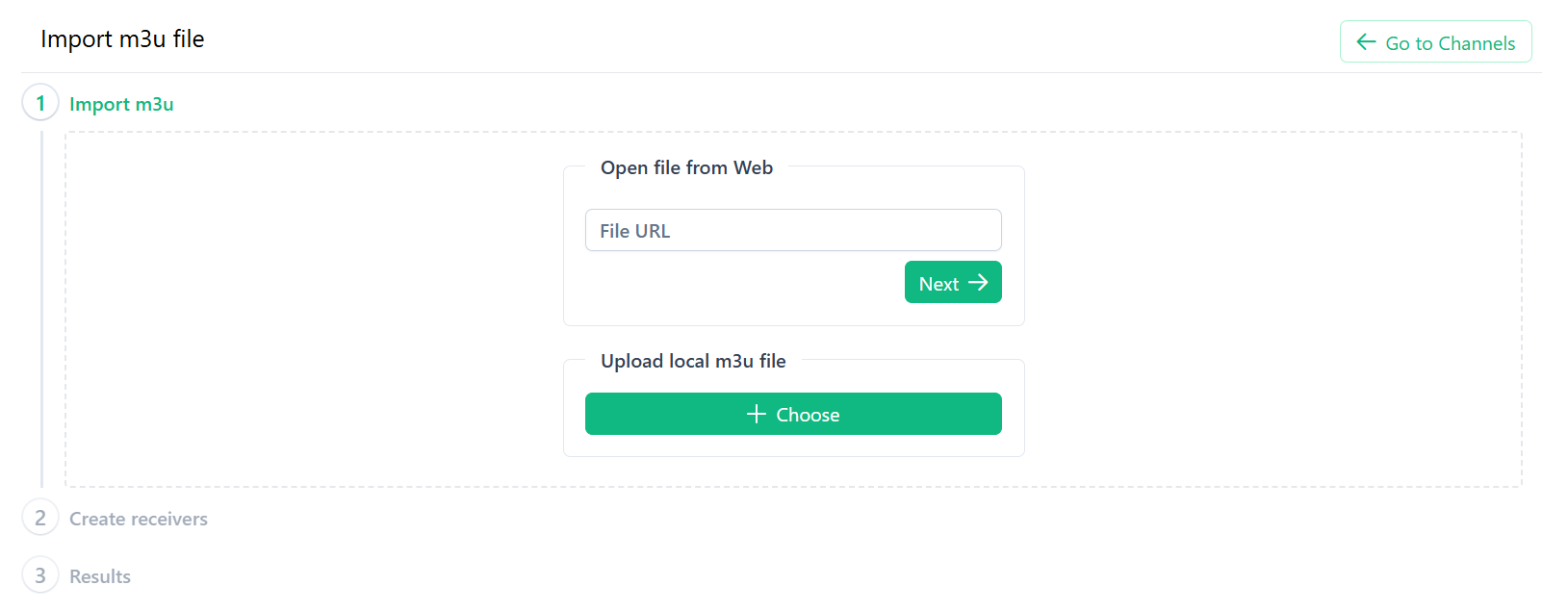
Steps:
- Click Import m3u.
- Step 1: Import
- Web: Enter a public
.m3uURL → Next. - Local: Upload
.m3ufile → Next.
- Web: Enter a public
- Step 2: Create Receivers
- Review and select streams to enable.
- Step 3: Results
- View import success and error messages.
Manually Create a Receiver
Section titled “Manually Create a Receiver”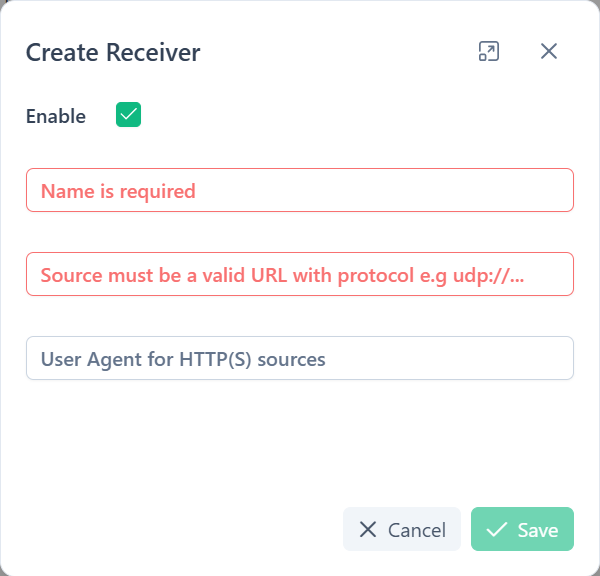
- Click Create.
- Fill in:
- Enable: Toggle on/off.
- Name (required): e.g.,
Cinemax 2 HD. - Source (required): e.g.,
udp://239.10.10.7:5000,http://example.com/stream.ts,rtsp://192.168.1.100/stream.
- Click Save.
Best Practices & Troubleshooting
Section titled “Best Practices & Troubleshooting”- Naming: Use consistent prefixes (e.g., region/provider).
- Multicast: Ensure proper routing for
udp://streams. - Debugging:
- Disabled streams don’t consume resources.
- Use Speed to verify data flow.