
Change Password to Alta Web Interface
Esta página aún no está disponible en tu idioma.
Password could be changed by administrator. There are two ways to do it: web interface and console wizard.
Web Interface
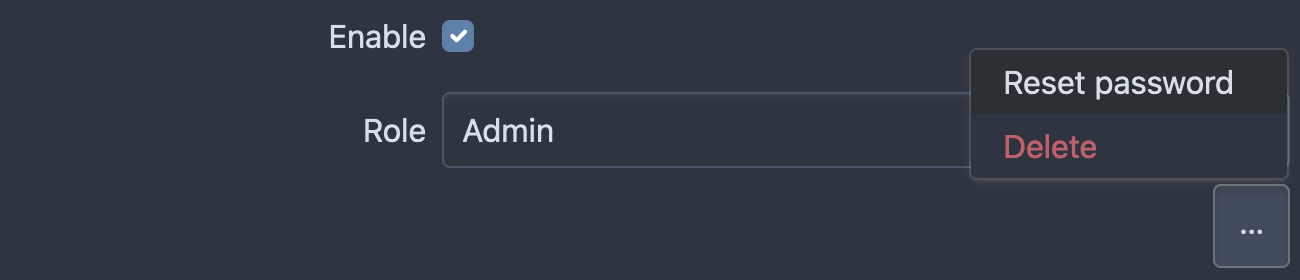
Section titled “Web Interface”Administrator can change password for any user by going to Settings → Users, then selecting the user’s account and clicking on the action menu to choose the ‘Reset Password’:
Console Wizard
Section titled “Console Wizard”You may use console wizard to reset own password. On your server launch next command:
alta reset-passwordWizard ask you next details:
- Service Name
- User login
- New password. Please note that password is not showing in the console on typing
Troubleshooting
Section titled “Troubleshooting”If you have any issues with console wizard please check common errors:
Service not found
Section titled “Service not found”Service is not started or installed on another server
Permission denied
Section titled “Permission denied”Service is more privileged than wizard. Launch command with sudo to raise privileges:
sudo alta reset-passwordUser not found
Section titled “User not found”User with defined name is not found