
HTTP Server
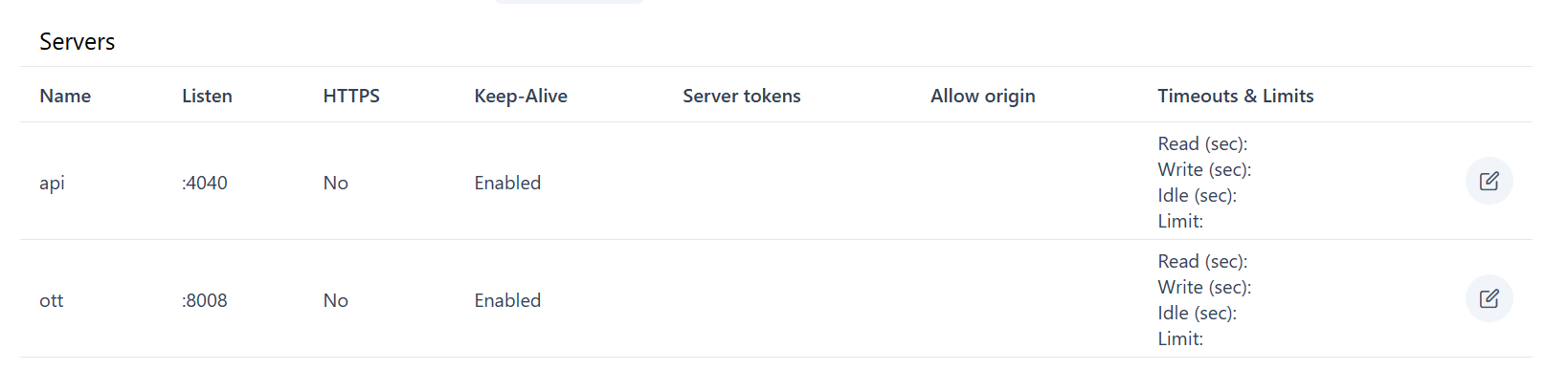
There are two distinct “Server” entries:
-
API Server
- Used for the web UI and API calls
- Default port: 8100
-
OTT Server
- Used for streaming (channels, HLS, etc.)
- Default port: the port you specified during the service initialization wizard
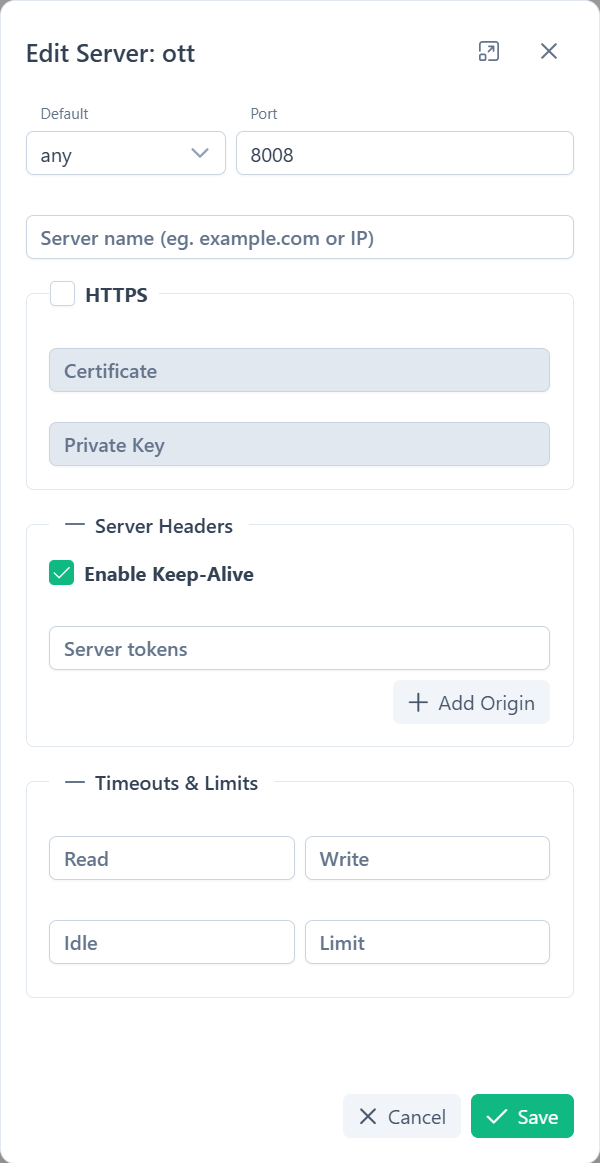
Each server entry exposes the same set of configurable parameters. Configure them separately under Settings → HTTP Servers → Edit Server.
1. Server Identity
Section titled “1. Server Identity”-
Default Interface
any— Accept connections on all network interfaceslocalhost— Restrict connections to the local machine only
-
Port
-
Enter any unused TCP port.
-
Defaults (after
alta init):- API Server →
8100 - OTT Server →
8101
- API Server →
-
-
Server Name
- (Optional) Hostname or IP address to bind (e.g.,
example.comor192.168.0.10). - Leave blank to accept requests on all addresses for the chosen interface.
- (Optional) Hostname or IP address to bind (e.g.,
-
Enable HTTPS
- Check the HTTPS box to secure traffic on this server entry.
-
Certificate
-
Full path to the SSL/TLS certificate chain (PEM format).
-
Example:
/etc/dehydrated/certs/example.com/fullchain.pem
-
-
Private Key
-
Full path to the corresponding private key (PEM format).
-
Example:
/etc/dehydrated/certs/example.com/privkey.pem
-
Server Headers
Section titled “Server Headers”-
Server Tokens
- Value sent in the HTTP
Serverheader. - Default:
Alta/<version> - To obscure version info, replace or blank this field.
- Value sent in the HTTP
-
Allow Origin (CORS)
- Click + Add Origin to whitelist a domain for Cross-Origin Resource Sharing.
- Enter a domain (e.g.,
https://app.example.com) per line. - Leave empty to disallow cross-origin requests.
Timeouts & Limits
Section titled “Timeouts & Limits”By default, Alta’s HTTP server uses (you may override any of these per server entry):
- Read (sec):
2Maximum seconds to read the full client request. - Write (sec):
10Maximum seconds to send a response back to the client. - Idle (sec):
10Disconnect a connection that remains idle this long. - Limit:
5000Maximum number of concurrent connections.