HTTP Authorization by IP
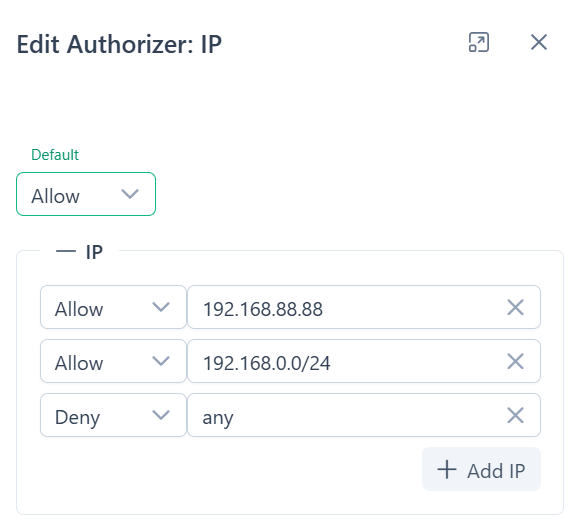
IP Authorization checks client IP address in the rules list.
When to Use
Section titled “When to Use”Use IP rules to open a channel to your own network, block one address, or let a trusted network skip the other methods.
- Open Settings → Authorizers and create an authorizer with the IP method.
- Add rules in the format
action address, as in the examples below. - Select the authorizer in the properties of the channel.
Actions
Section titled “Actions”- allow: allow access
- deny: deny access
- pass: pass to the next authorization method
Addresses
Section titled “Addresses”IP Authorization supports IPv4 and IPv6 addresses with CIDR notation.
Example
Section titled “Example”allow 127.0.0.1- allow request from localhostdeny 192.168.0.100- deny access to single addresspass 192.168.0.0/24- pass client from the IPv4 network to the next authorizer - securetoken or backendpass fd32:ce04:8a5c::1/64- same for IPv6 network