HTTP Authorization
Authorization is a process of granting a user access to protected content.
When to Use
Section titled “When to Use”Use authorization when a channel must not be open to everyone, for example for paid subscribers or a private network.
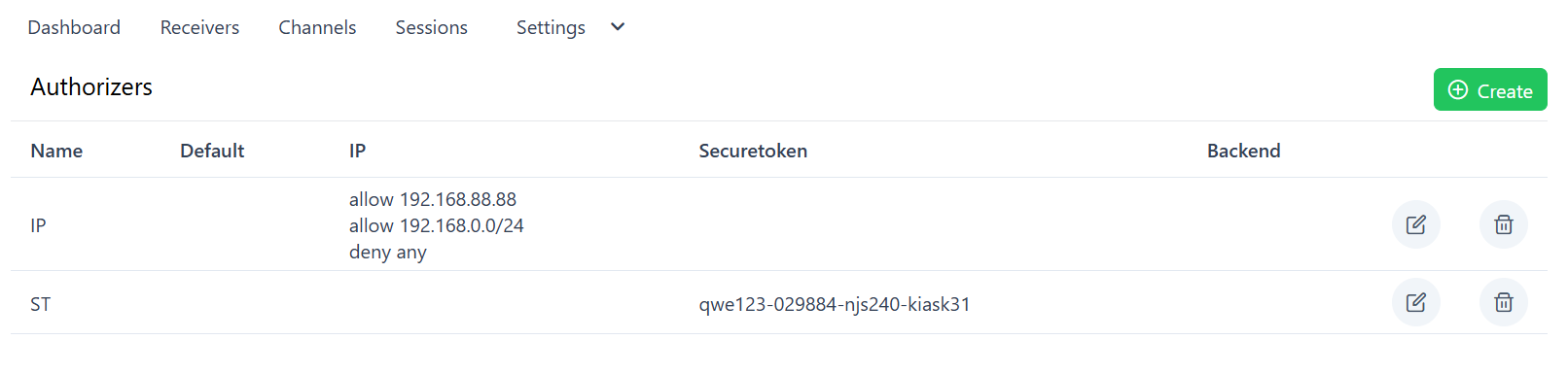
- Open Settings → Authorizers and create an authorizer.
- Add a method: IP, Securetoken or HTTP Backend.
- Select the authorizer in the properties of the channel.
Methods
Section titled “Methods”- IP - by the client IP address
- Securetoken - temporary links with token
- HTTP Backend - with external service
Priority
Section titled “Priority”All methods works in next order:
- IP: skips to the next method if IP in the skip-rule or not relate to any rule
- Securetoken: skips to the next method if token format is not match
- Backend: skips to the next method if backend is not available
- Default: default action. If not set, access will be allowed