
HTTP Backend
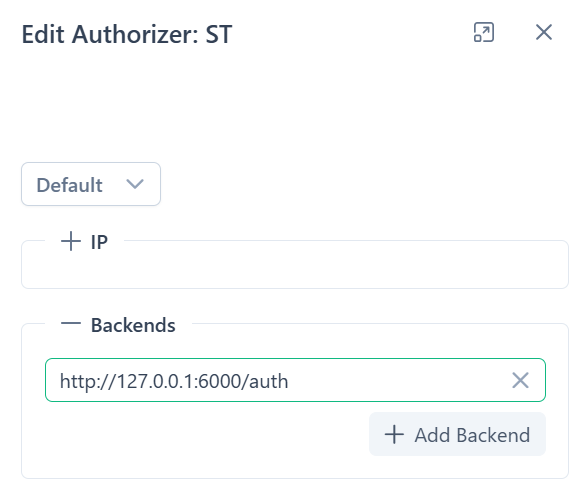
HTTP Backend Authorization verifies client requests via an external HTTP service. A 200 OK response from the backend grants access; any other status denies it. If the backend is unavailable, Alta applies a default action.
Integration Endpoints
Section titled “Integration Endpoints”Ministra / Stalker
Section titled “Ministra / Stalker”Backend URL: Backend URL:
http://example.com/stalker_portal/server/api/chk_flussonic_tmp_link.phpIn the Ministra / Stalker settings turn on option “Temporary URL - Flussonic support”
IPTVPORTAL
Section titled “IPTVPORTAL”Backend URL:
https://go.iptvportal.cloud/auth/arescrypt/Portal Settings → Keys:
- Name:
Alta - Algorithm:
ARESSTREAM - Mode:
SM - Key Length:
1472 bit - Update Rate:
1:00:00
Channel Settings:
- Auth:
arescrypt - Encoded:
on - Key:
Alta
Microimpulse Smarty
Section titled “Microimpulse Smarty”Backend URL:
http://example.com/tvmiddleware/api/streamservice/token/check/Custom Backend
Section titled “Custom Backend”Alta sends an HTTP GET request to the backend, including original URL parameters and these headers:
X-Session-Id– unique session IDX-Real-Ip– client IPX-Real-Path– requested pathX-Real-Origin– protocol + host + portX-Real-Ua– User-Agent
Example: Simple PHP Backend
auth.php:
<?php$token = $_GET['token'];if ($token == '123') { error_log( "\n" . " Session ID: " . $_SERVER['HTTP_X_SESSION_ID'] . "\n" . " Real IP: " . $_SERVER['HTTP_X_REAL_IP'] . "\n" . " Real Path: " . $_SERVER['HTTP_X_REAL_PATH'] . "\n" . "Real Origin: " . $_SERVER['HTTP_X_REAL_ORIGIN'] . "\n" . " Real UA: " . $_SERVER['HTTP_X_REAL_UA'] ); http_response_code(200);} else { http_response_code(403);}Run locally:
php -S 127.0.0.1:6000 auth.phpBackend URL:
http://127.0.0.1:6000This is just an example and you should implement your own backend logic according to your specific requirements. For production, use nginx + php-fpm or another server setup.
Troubleshooting
Section titled “Troubleshooting”Unexpected Access Without Authorization
Section titled “Unexpected Access Without Authorization”If unauthorized access occurs, your backend may be unavailable.
Test with curl:
curl -v "http://127.0.0.1:6000?token=123"If response hangs or shows “Connection refused”, check backend availability and address.