
Receivers in Cesbo Alta
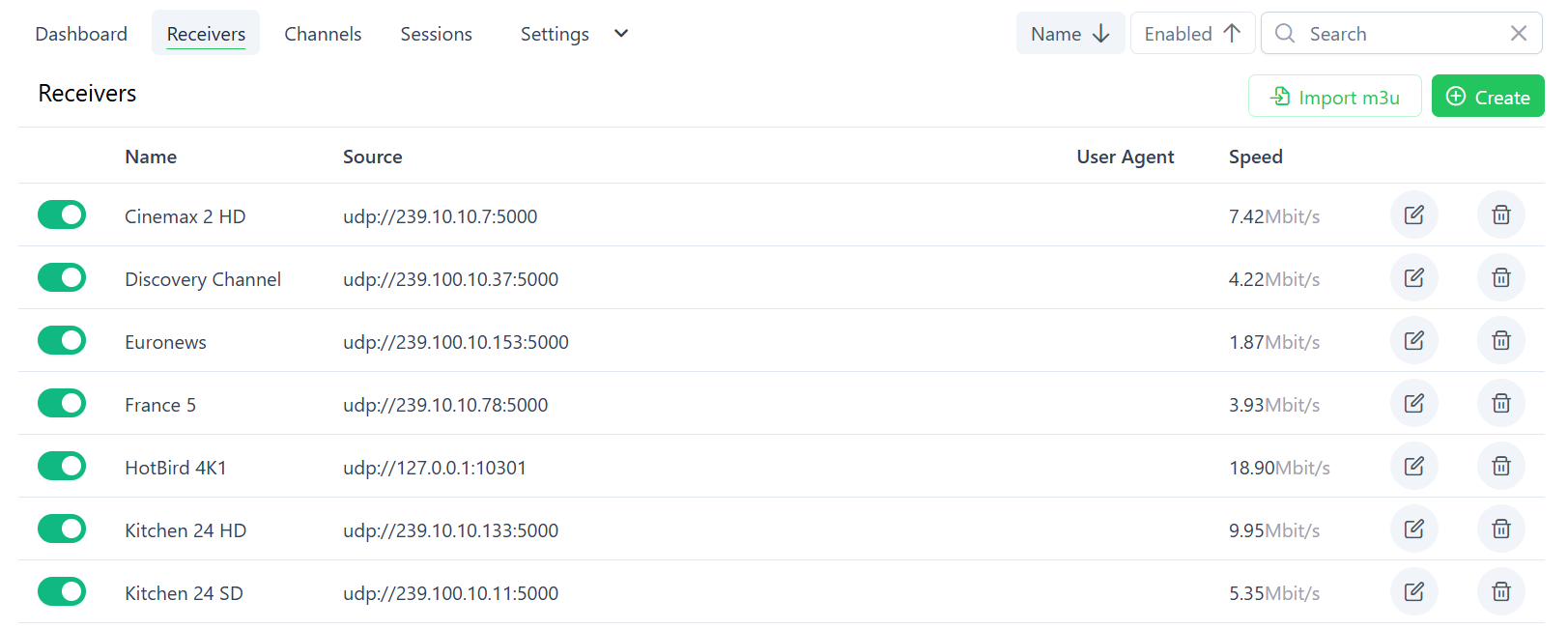
The Receivers section in Alta allows managing input streams (e.g., UDP, RTP, RTSP) that are ingested by the HLS server.
Supported protocols include:
Section titled “Supported protocols include:”- UDP / RTP
- HLS / HTTP MPEG-TS
- RTSP
Receiver List
Section titled “Receiver List”- Enabled: Toggle stream on/off
- Name: Descriptive label
- Source: Input stream URL
- Speed: Current throughput (Mbit/s)
- Actions: Edit or Delete
Import Receivers via M3U
Section titled “Import Receivers via M3U”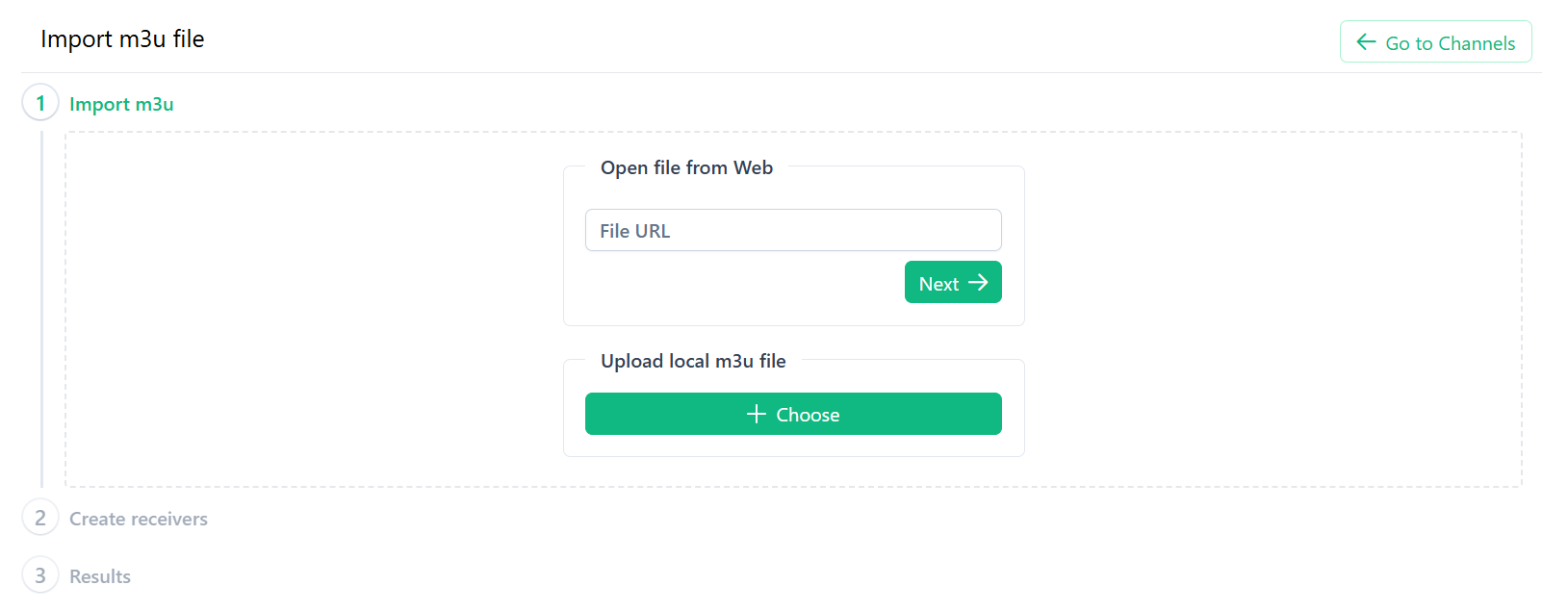
Steps:
- Click Import m3u.
- Step 1: Import
- Web: Enter a public
.m3uURL → Next. - Local: Upload
.m3ufile → Next.
- Web: Enter a public
- Step 2: Create Receivers
- Review and select streams to enable.
- Step 3: Results
- View import success and error messages.
Manually Create a Receiver
Section titled “Manually Create a Receiver”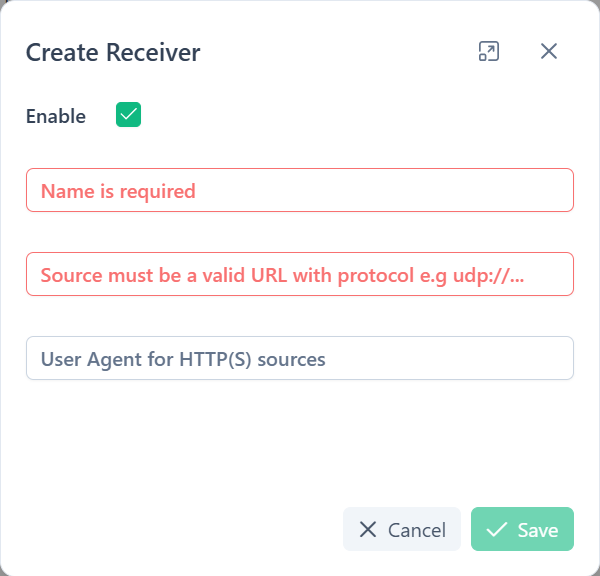
- Click Create.
- Fill in:
- Enable: Toggle on/off.
- Name (required): e.g.,
Cinemax 2 HD. - Source (required): e.g.,
udp://239.10.10.7:5000,http://example.com/stream.ts,rtsp://192.168.1.100/stream.
- Click Save.
Best Practices & Troubleshooting
Section titled “Best Practices & Troubleshooting”- Naming: Use consistent prefixes (e.g., region/provider).
- Multicast: Ensure proper routing for
udp://streams. - Debugging:
- Disabled streams don’t consume resources.
- Use Speed to verify data flow.